Progress & Achievements
Overview
Preparing for the naturalization test is a marathon, not a sprint. The app tracks every step of your journey (quiz scores, wrong answers, study streaks, and achievements) so you can see how far you have come and know exactly where to focus next.
Quiz History
After each practice test, your results are saved:
- Date and time of each test
- Test type (civics, reading, or writing)
- Score and percentage
- Which questions you got right or wrong Pro
- View your score trend over time to see improvement
Results are marked by shape as well as color. Each civics test in the list shows a checkmark for a pass, a cross for a fail, or an orange pause symbol for a test you have not finished, which VoiceOver reads as Incomplete Test. The civics score chart on the free Progress tab puts the same checkmark or cross above each bar and leaves unfinished tests out. In a reading or writing test, each attempt is marked with a checkmark or a cross.



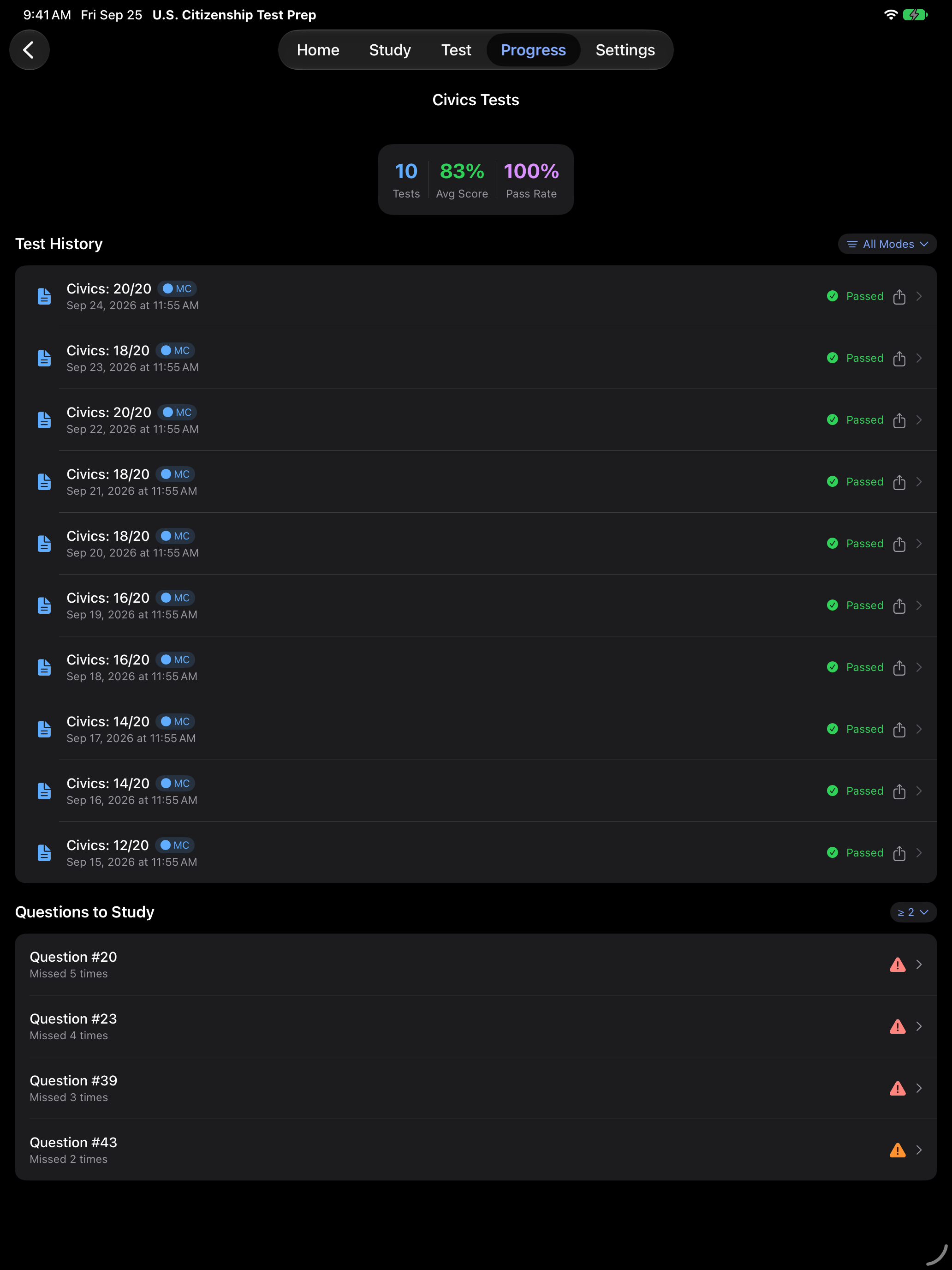
Your test history tells you what happened. The next step is understanding why, and that starts with reviewing what you got wrong.
Wrong Answer Review
Every test shows you what you got wrong. In a civics test, you see the correct answer for each question before you move on. After a reading or writing test, the Attempt Summary shows your answer next to the correct sentence.
The app also keeps track of the questions you miss across sessions. Pro lets you go back to them.
- Tap View Details on the results screen to see every question marked right or wrong, with the correct answers Pro
- See each question you have missed, and how many times, in Areas to Review on the Progress tab Pro
- Choose Missed as the question source to study or practice only those questions Pro


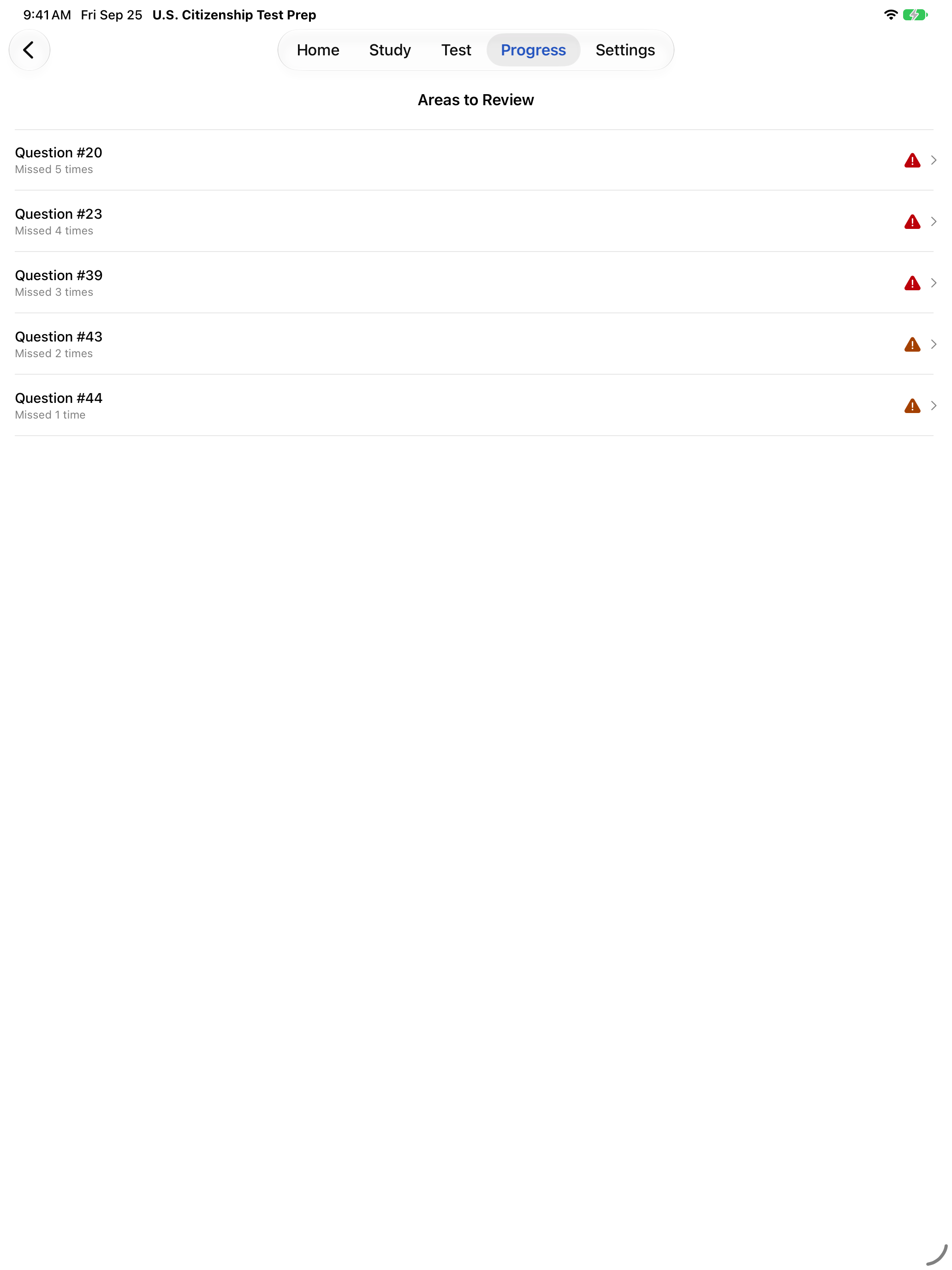

Beyond scores and wrong answers, the app celebrates your milestones along the way.
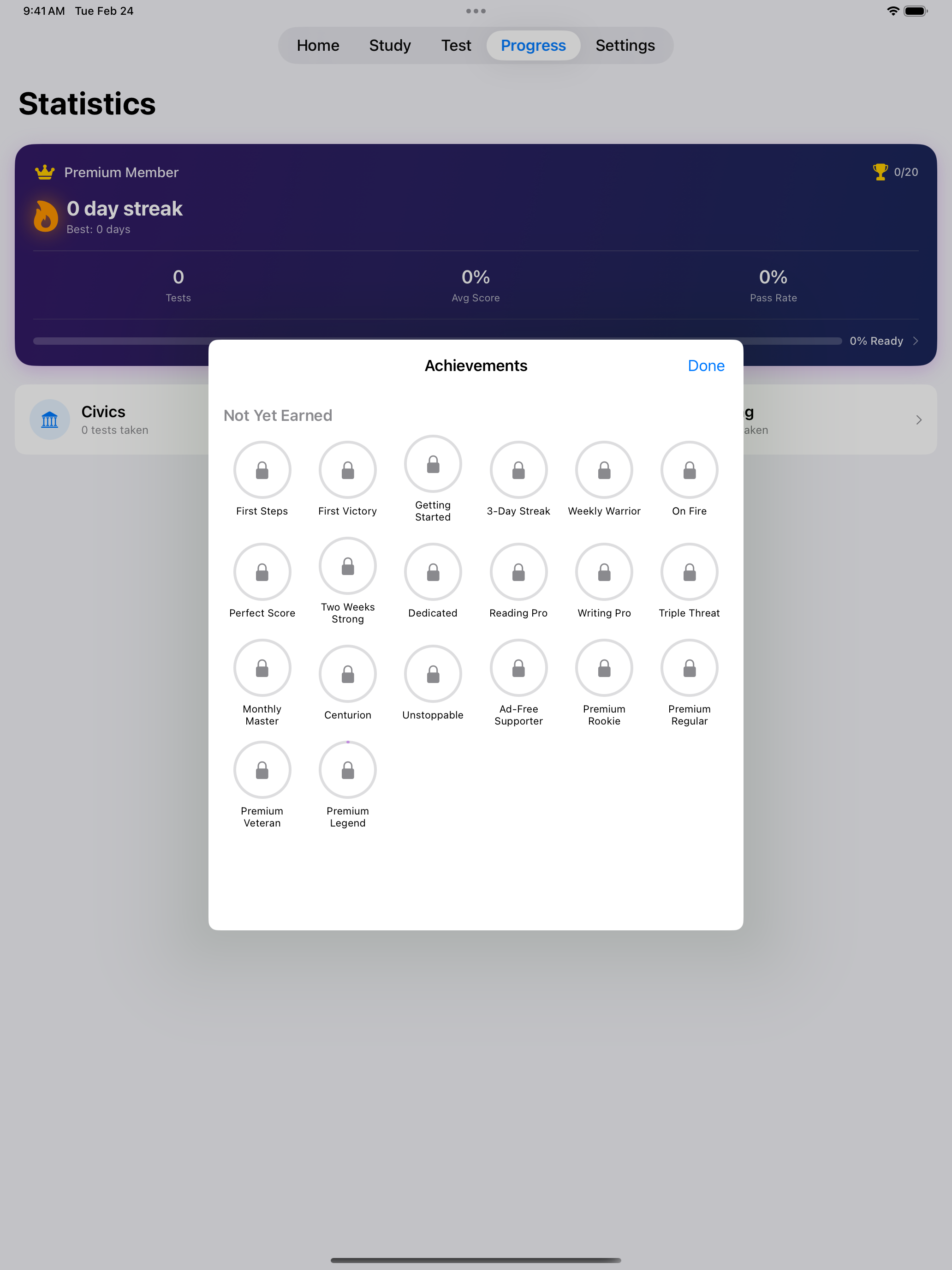
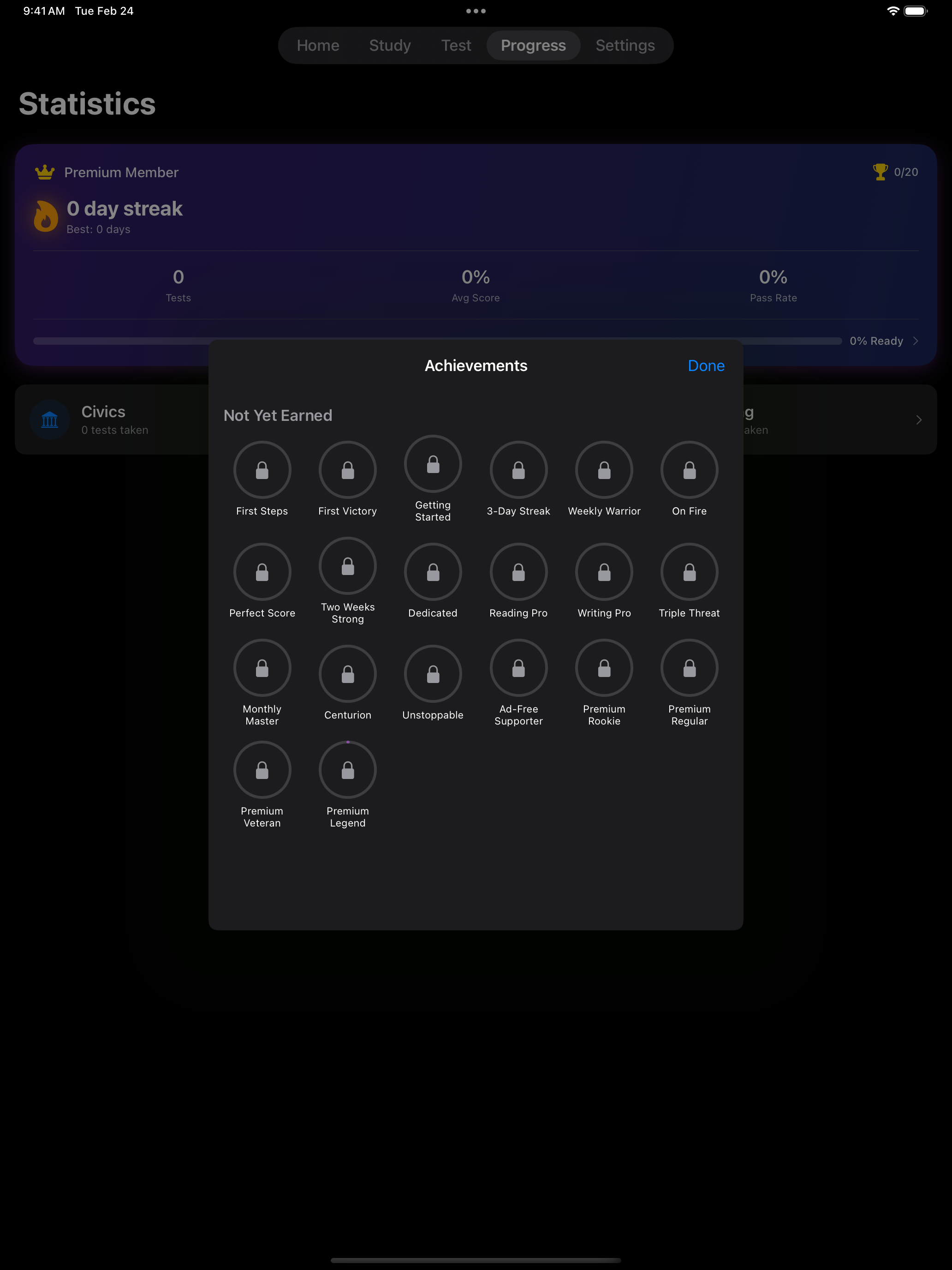
Achievements
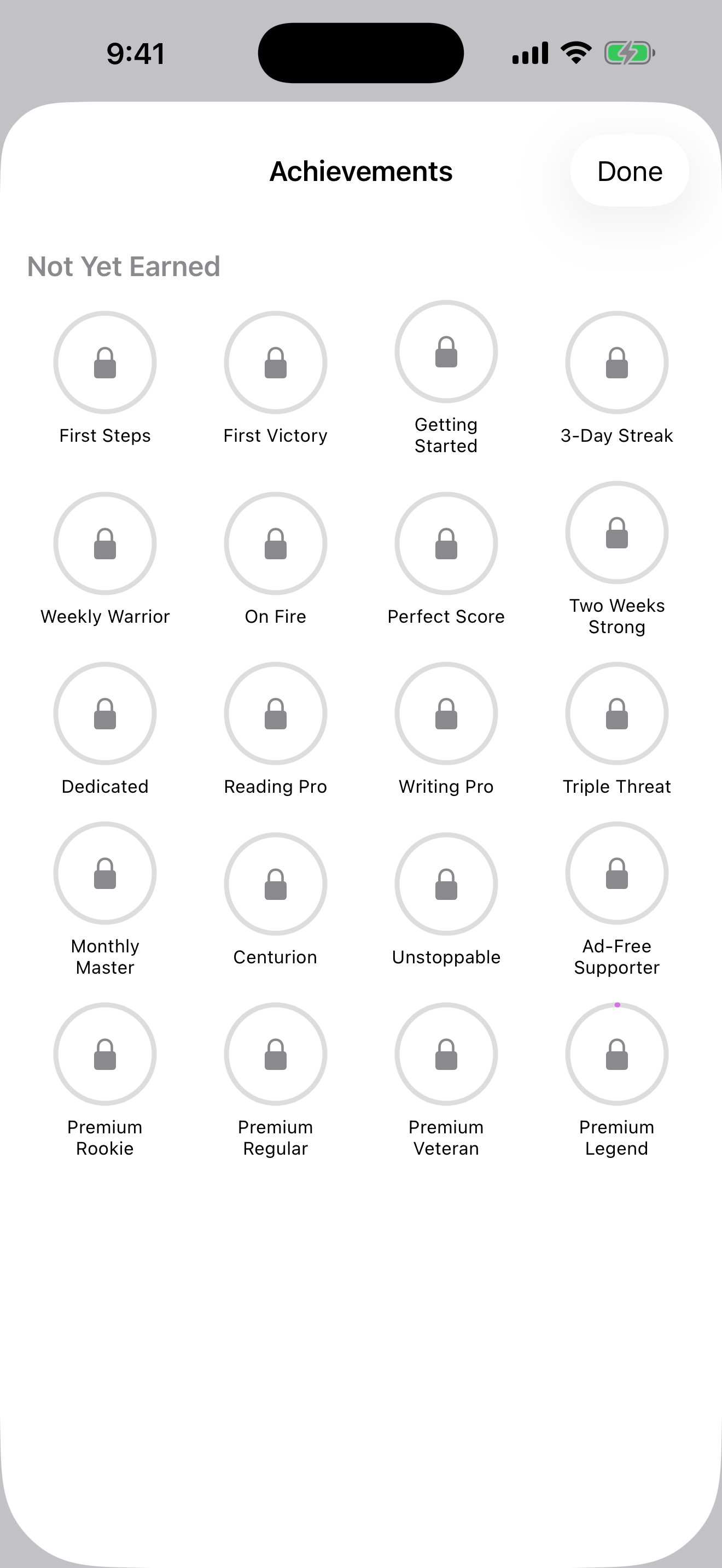
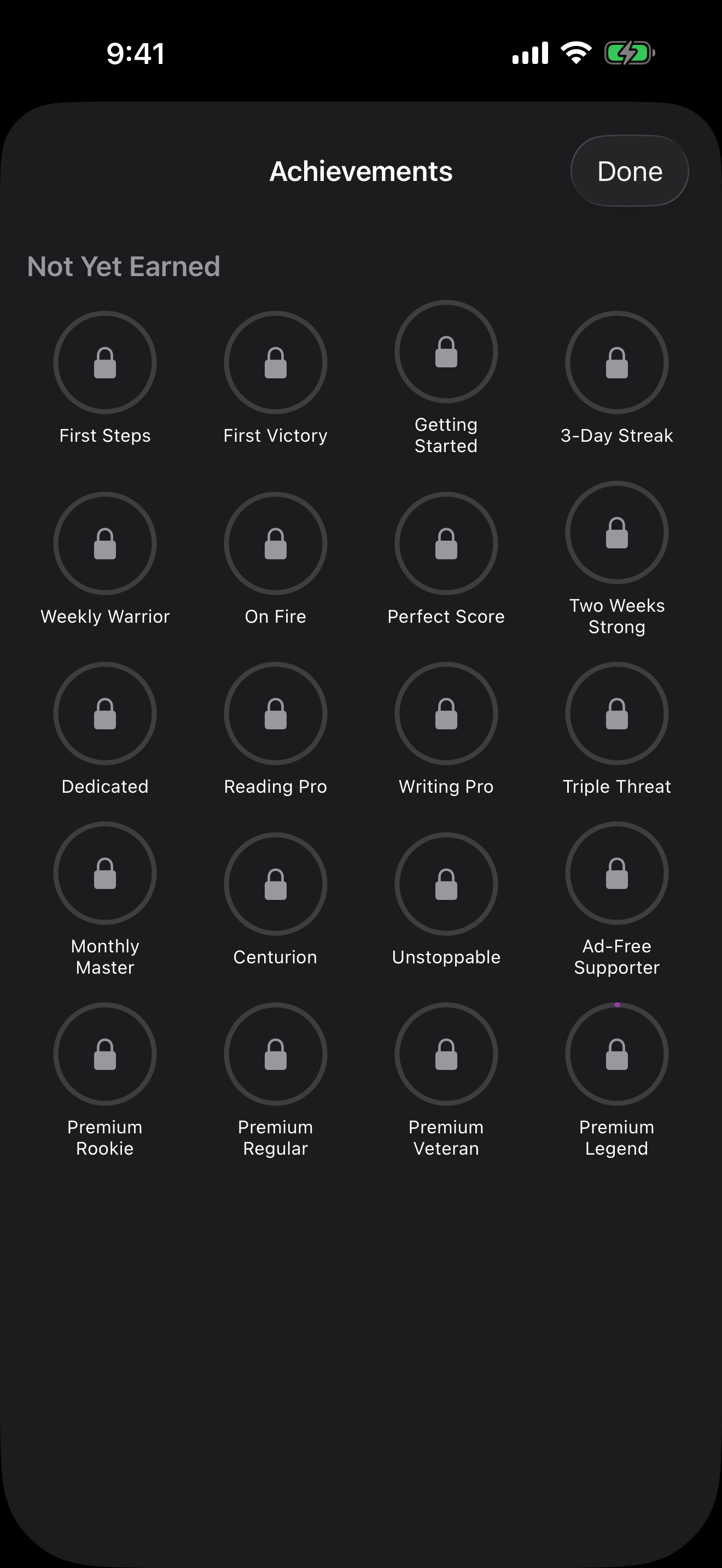
Unlock achievements as you prepare:
- Complete your first test
- Pass your first test
- Get 100% on a civics test
- Study 7 days in a row
- Pass 10 reading tests or 10 writing tests
- Pass civics, reading and writing on the same day
- And more, 20 achievements in all
Achievements celebrate your milestones and keep you motivated through the study process. When you earn one, an Achievement Unlocked card covers the screen until you tap Awesome!, and you can share it from there. With Reduce Motion on, the card fades in without confetti.
Consistency matters more than marathon sessions. A daily study habit is one of the best predictors of test success.
Study Streaks
Build a daily study habit:
- A day counts when you finish a civics, reading or writing test, answer a question in Interview Mode or verbal practice, reveal a flashcard answer, or study reading or writing items
- Each day in a row adds to your streak. If you miss a full day, your current streak goes back to 0
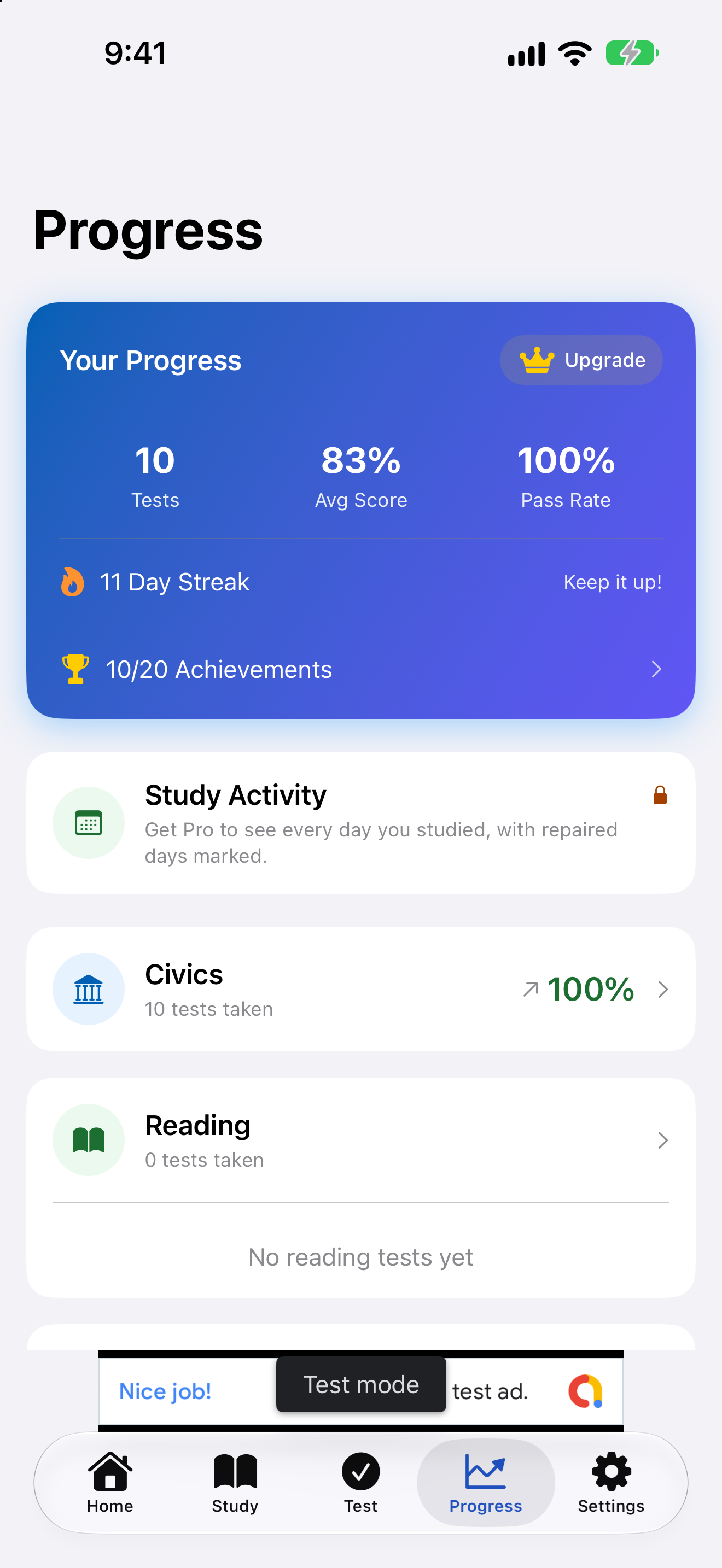
- The streak counter is on the Progress tab
- When you update from an earlier version, your streak is rebuilt from your saved tests, so it does not start over
- Pro adds your best streak, your total study days and streak milestone notifications Pro


Study Activity Grid
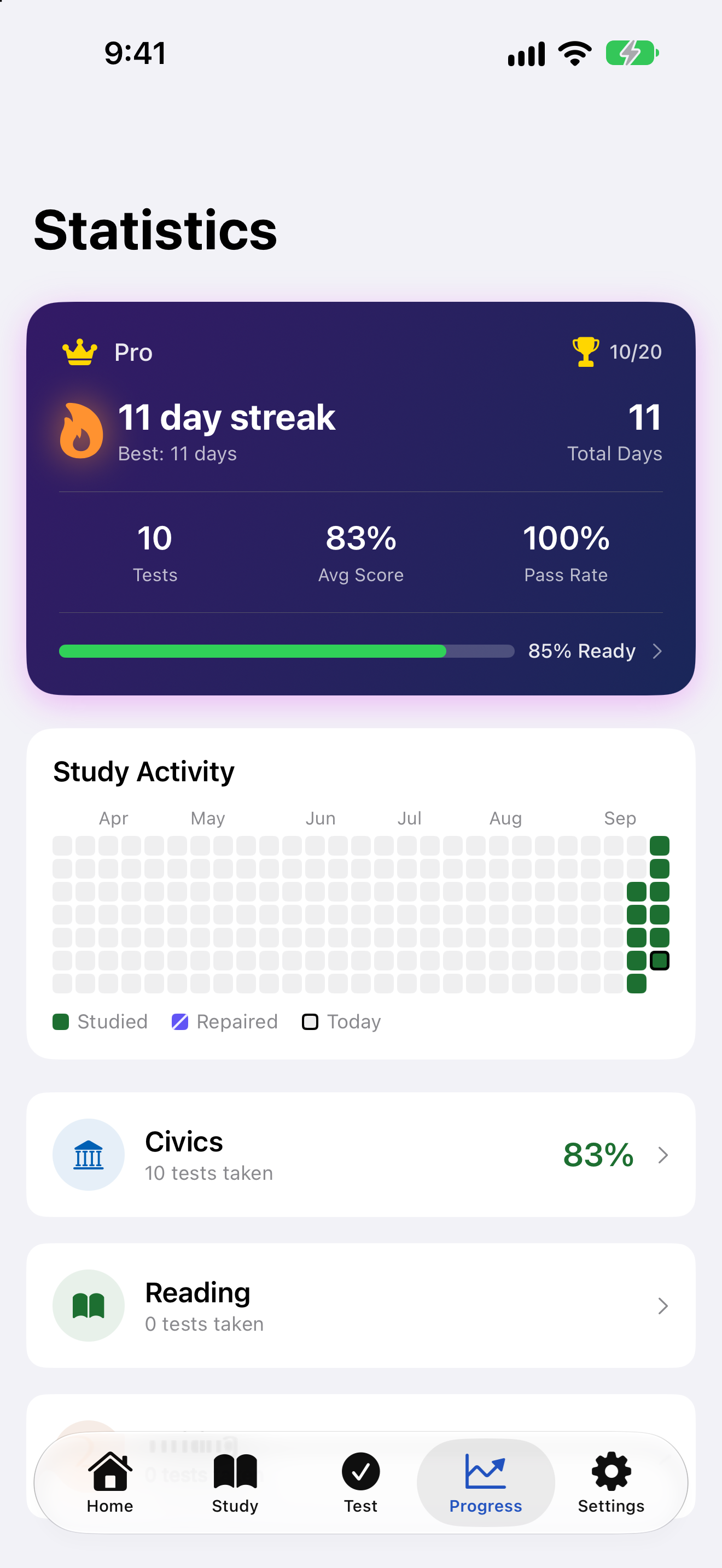
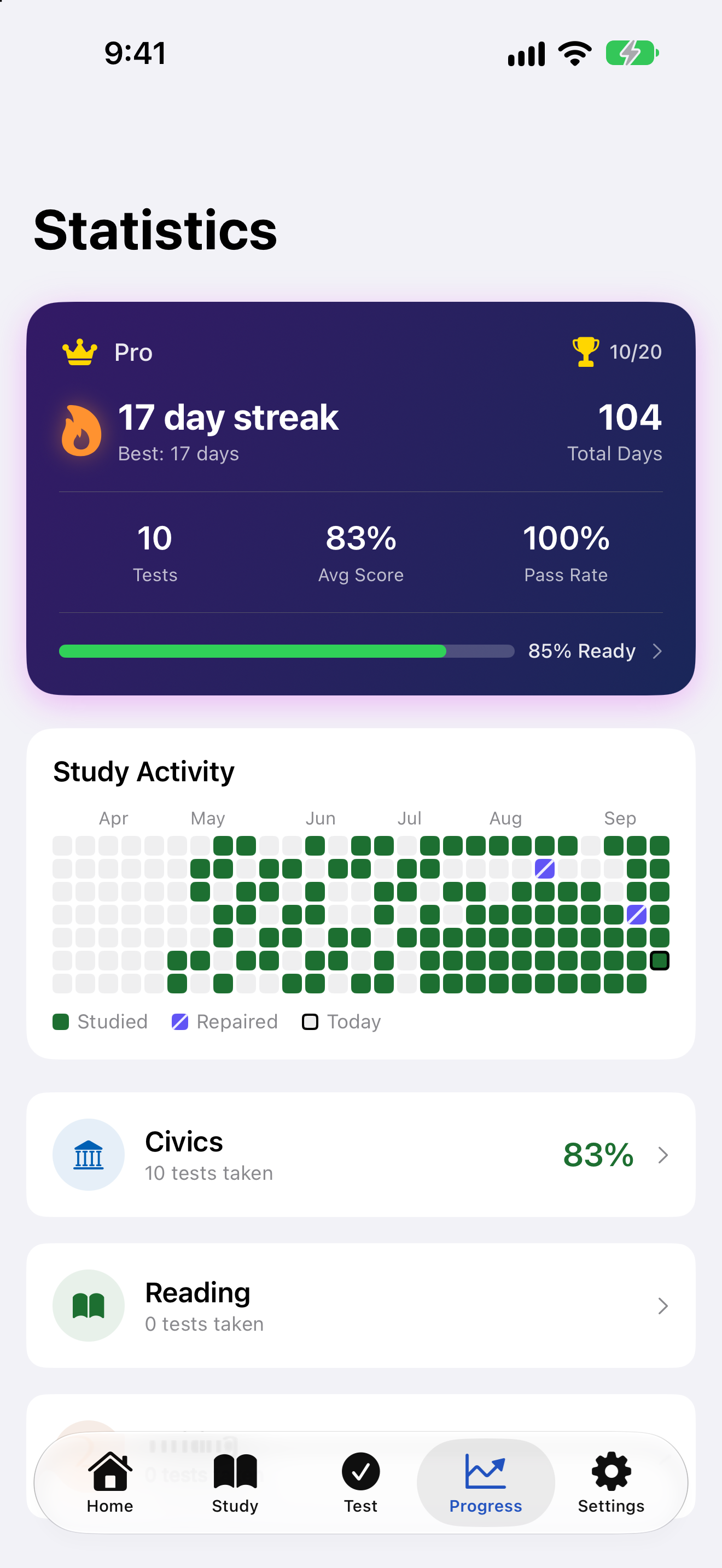
The Progress tab draws a grid of the days you studied, one square per day:
- On iPhone the grid shows about the last six months and scrolls back through a year. On iPad the whole year fits at once
- A day fills in as soon as it counts as a study day, by any of the ways listed above
- Days bridged by a streak repair are drawn differently from days you studied, so the grid always shows which is which
- VoiceOver reads the grid one week at a time, for example “Week of March 3, 4 days studied, 1 repaired”
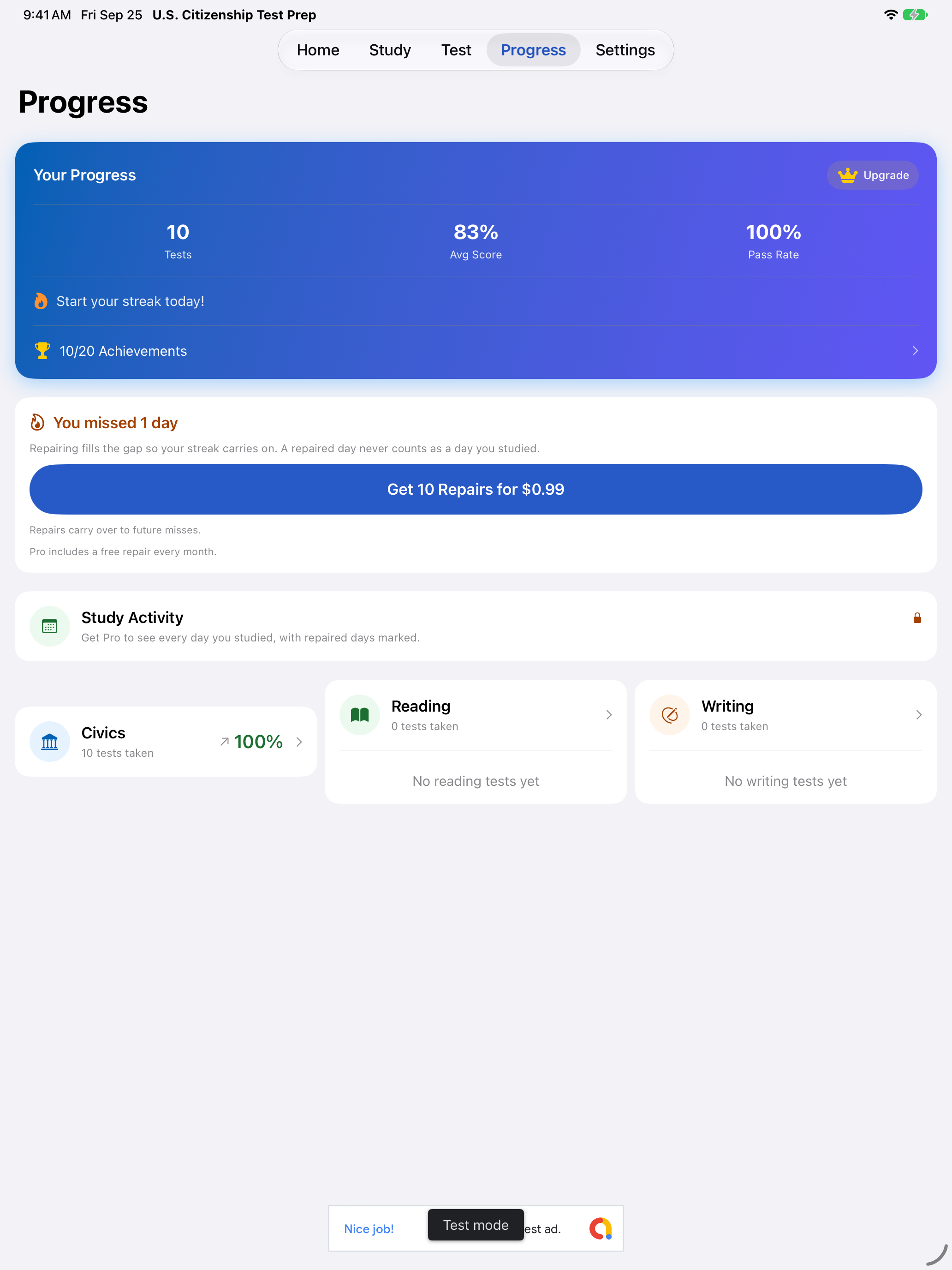
- The grid is a Pro feature Pro. Without Pro, the Progress tab shows a locked Study Activity card in its place, which opens the Pro page. It draws no grid at all, so it never shows study days that are not yours


Streak Repair
Missing a day sets your current streak back to 0. A streak repair fills in the missed day or days so the streak carries on:
- Repairs are used from the Progress tab. The offer appears there only after a streak has already broken, and only when the gap is one or two days. A wider gap cannot be repaired
- Nothing warns you while a streak is still going, and no repair is ever applied unless you tap for it
- Pro includes one free repair each calendar month Pro. It does not carry over to the next month, and it is always used before a repair you paid for
- Anyone can buy a pack of ten repairs for $0.99 at any time, from Get 10 Streak Repairs in Settings → Add-ons. Buying there only adds to your balance, which the same row shows. Nothing is repaired until you tap the offer on the Progress tab
- When a streak has a gap and you have no repairs left, the offer on the Progress tab sells the pack itself and fills the gap in the same tap
- Repairs you do not use stay for a later miss
- A two day gap costs two repairs, since each repair fills one day
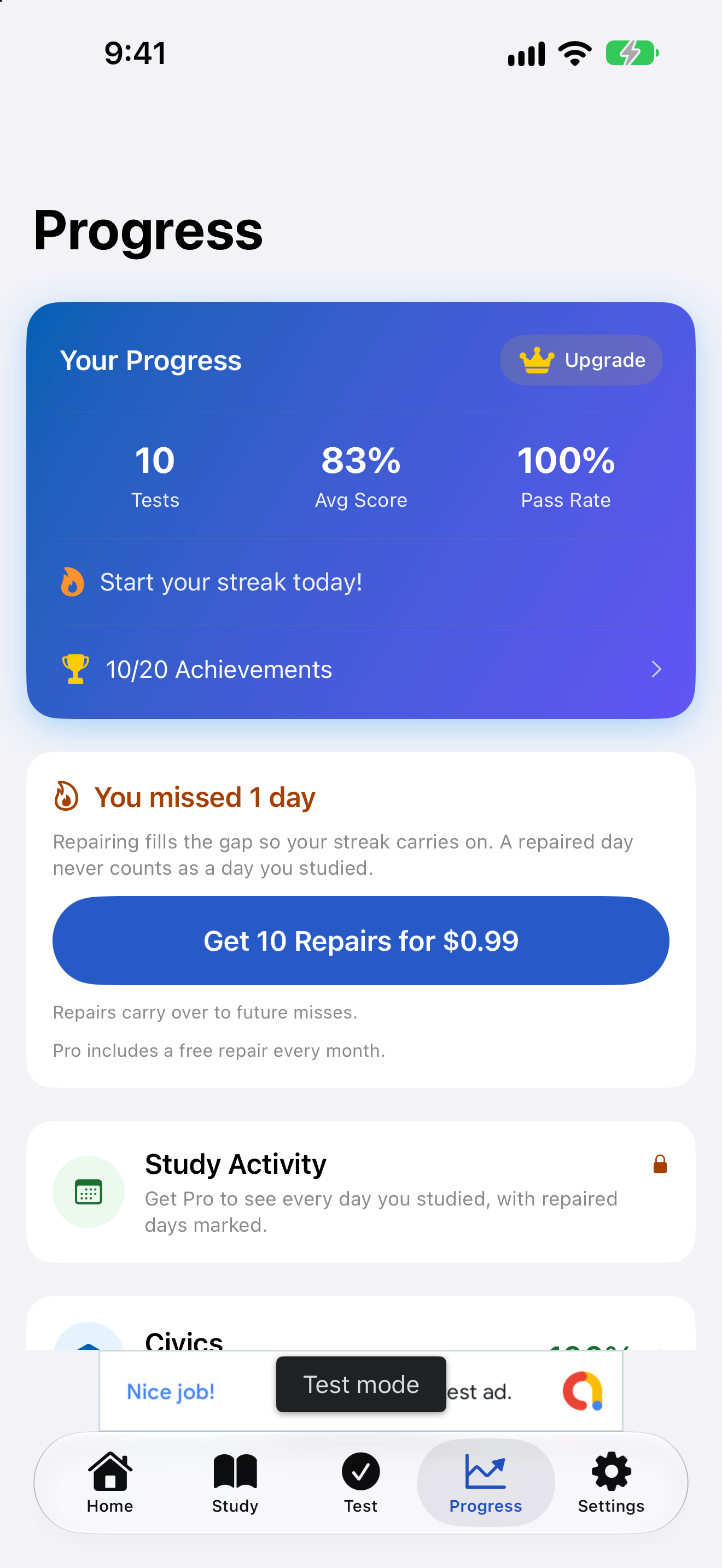


A repaired day is never counted as a day you studied. It does not add to your total days studied and it cannot earn an achievement. It bridges the streak and nothing more.
Repairs cannot be restored. Streak repairs are consumable, so they are used up when you spend them. Restore Purchases does not bring back repairs you have already used, and the app says so rather than appearing to fail. Any repairs you have bought and not spent are still there.
Pro Features
Pro unlocks additional progress features:
- Detailed analytics and score breakdowns Pro
- Extended test history Pro
- Missed-question review Pro
- Best streak, total study days and streak milestone notifications Pro
All core study features are free. Pro adds the deeper tracking and analytics. It is a one-time purchase. See Pro on the Add-ons page.
The free Progress tab keeps your scores, your pass rate, your current streak and your achievements, with a locked Study Activity card where Pro draws the activity grid. With Pro, the summary card at the top drops the upgrade prompt and adds your best streak, your total study days and your test readiness. Pro also removes the ads and unlocks the deeper breakdowns.
Free. Scores, pass rate, current streak and achievements, with an upgrade prompt, the locked Study Activity card and a banner ad.

Pro. Your best streak and test readiness in the summary card, full statistics and no ads.
Free. Scores, pass rate, current streak and achievements, with an upgrade prompt, the locked Study Activity card and a banner ad.


Pro. Your best streak and test readiness in the summary card, full statistics and no ads.